Amazon Scams: How to Identify, Verify, Report, and Avoid Them
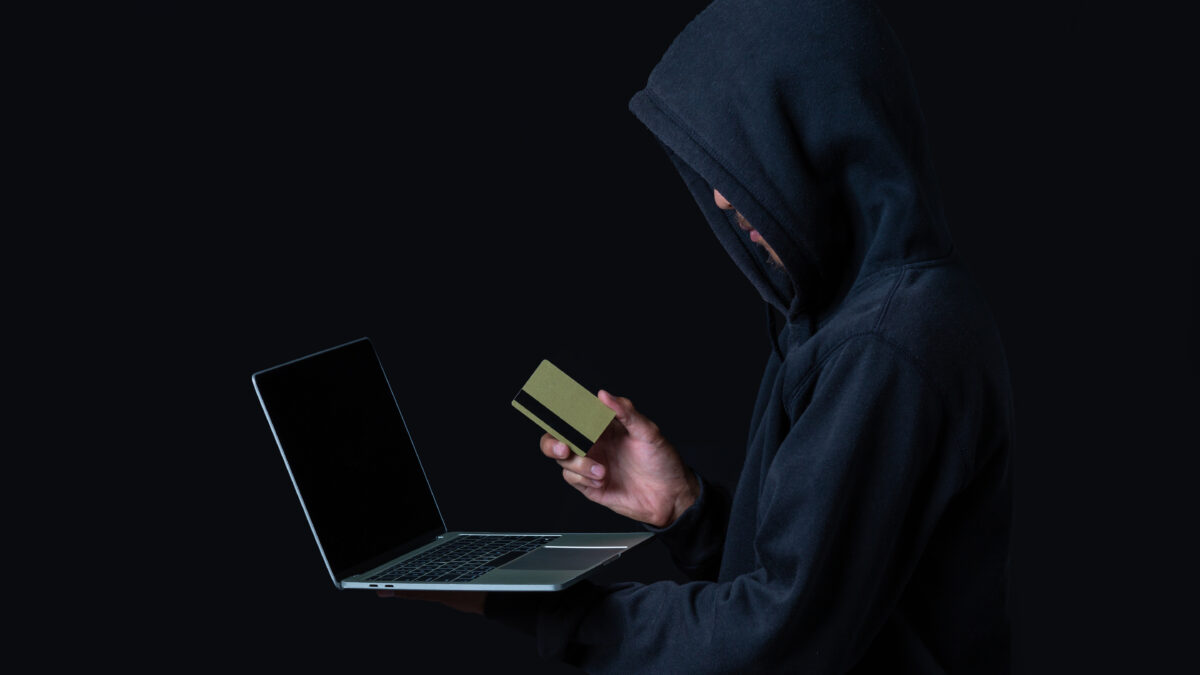
Most people have seen the message by now. A text says a package could not be delivered, or an email says your Prime membership renewed for a surprising amount, or a caller says someone is using your account in another city. Each one is built to make you act before you think.
Amazon scams work because Amazon is part of everyday life. Millions of people order from it weekly, so a fake message about an order feels plausible. Scammers don’t need to find a vulnerable person. They send the same message to a huge audience and wait for the few who happen to have an order in progress.
This guide explains how these scams work, how to tell a genuine message from a fake one, and how to verify a claim without clicking anything. It also covers how to report scams and what to do if you’ve already responded. You can read it straight through or jump to the section that matches your situation.
Why Amazon Is Such a Popular Target for Fraud
Scammers pick brands that people already trust and interact with often. Amazon fits that description better than almost any other company. Its emails, texts, and notifications are so common that a fake one blends right in.
Amazon’s scale also gives scammers a statistical advantage. If a criminal sends a million messages claiming an order problem, a large share of recipients will have recently ordered something. Those people are far more likely to believe the message and click.
There is also a psychological factor. Messages about money leaving your account, a package going missing, or an account being locked trigger a quick emotional reaction. Scammers want that reaction, because a worried person skips the small checks that would expose the fraud.
Finally, Amazon has several legitimate touchpoints: orders, returns, subscriptions, seller messages, gift cards, and customer service. Each one gives criminals a different story to tell. That is why Amazon scams come in so many forms, and why learning the underlying pattern is more useful than memorizing individual examples.
Fake Order Confirmations and Payment Problem Emails
This is one of the oldest and most common scams. You receive an email that looks like an Amazon order confirmation for an expensive item you never bought, such as a laptop, a camera, or a high-end phone. The message includes a phone number or a button to “cancel the order” or “dispute the charge.”
The goal is to make you panic about a purchase that doesn’t exist. If you call the number, you reach a scammer posing as support. If you click the button, you land on a fake login page designed to capture your credentials and card details.
A second version claims there is a problem with your payment method. The email says your card was declined, your account is on hold, or you must “update billing information” within 24 hours. The link leads to a convincing copy of Amazon’s site that collects whatever you type.
Look at the sender address first, but don’t rely on it alone, because display names are easy to fake. A message that appears to come from “Amazon Support” may have an address from a random domain with no connection to Amazon. Even a sender address that looks right can be spoofed, so treat the details inside the message as the real test.
Genuine order confirmations never need you to call a number to cancel. If you’re unsure, ignore the email and open your account directly through the app or by typing the address yourself. If the order isn’t listed under your orders, it doesn’t exist.
Pay attention to generic greetings, odd formatting, and an urgent tone. Real notifications tend to be calm and refer to specific items you can verify. Scam emails lean on fear and deadlines.
Prime Membership and Subscription Renewal Scams
A close cousin of the fake order email is the subscription scam. The message says your Prime membership has been renewed, often for a large sum, and that you can cancel or get a refund by contacting a given number. Some versions say your membership is about to expire and you need to confirm payment details to keep it.
The renewal amount is deliberately set to alarm you. A scammer knows that a charge of several hundred dollars will push you to call immediately. Once you do, the person on the line will say they need to “verify your identity” or “secure your account,” which usually means collecting your login details or card number.
Sometimes the call moves into a more dangerous territory. The scammer says a refund was accidentally too large and asks you to send money back. We cover that trick in the refund section below.
The simplest defense is to check your membership directly. Open the Amazon app or website on your own, go to your account, and look at your Prime membership status and payment history. If there’s no unexpected renewal there, the message was fake, regardless of how official it looked.
It also helps to know that you never need to call a phone number from an email to manage a subscription. Account changes happen inside your account settings. Anyone pushing you toward a phone call is steering you away from the place where you can verify the facts.
Delivery Texts and “Missed Package” Messages
Text messages are now a major channel for Amazon scams, a technique known as smishing. A typical message says your package couldn’t be delivered, there is an address problem, or a small fee is needed to reschedule. A link is included, and it almost always leads to a fake site.
These messages are effective because they arrive on your phone, where people read quickly and tap without much scrutiny. Shortened URLs hide the real destination, and the fake pages are often designed to look good on mobile screens. The “small fee” is a favorite hook because a payment of a couple of dollars feels harmless, yet the real prize is your card number.
Another variation asks you to reply with “Y” or “yes” to “activate” the link. Replying confirms to the sender that your number is active, which can bring more scam messages.
Remember that Amazon tracks deliveries inside your account. If you’re expecting a package, you can check its status under your orders without touching any link in a text. If you aren’t expecting a package, the text is almost certainly junk.
Be careful with unfamiliar short links. If you’re unsure where a link goes, you can run it through a Link Checker before opening it, or simply skip it and go to the source yourself. Not clicking is always the safest option.
Fake Customer Support Calls and Remote Access Requests
Some scams skip the message and go straight to the phone. A caller claims to be from Amazon’s fraud department and says suspicious activity was detected, such as a purchase from another country or a login from an unknown device. They sound professional, they use technical language, and they may already know your name or email address.
The call is built to move you step by step. First the caller establishes that your account is “compromised.” Then they offer to help, and the help usually involves installing software that lets them see or control your screen. Once they have remote access, they can open your banking app, move money, or install malware.
A common twist is to tell you that your bank account is also at risk and that you must transfer money to a “safe account.” There is no such thing. Any instruction to move money to protect it is a scam.
Another trick is to ask you to buy gift cards and read out the codes, supposedly to “verify” something or pay a fee. Gift card codes work like cash, and once they’re spent they are nearly impossible to recover. Legitimate companies, including Amazon, do not demand payment in gift cards.
Scammers also use phone number spoofing so that the caller ID appears to be a real Amazon number. That means a familiar-looking number proves nothing. If a caller tells you to install remote access software, share a one-time passcode, or move money, hang up immediately.
You can then contact Amazon yourself through the Help section of the official app or website. Don’t use a number the caller supplied or one from a search ad. Fake support numbers sometimes appear in search results, so use the official channel from inside your account.
Running a malware scan after any suspicious call is sensible if you installed anything at the caller’s request. A tool such as Smart Scan can check a device for known threats, though uninstalling the remote tool and changing your passwords should come first.
Refund and Overpayment Scams
Refund scams are especially cruel because they make the victim feel like they are helping fix a mistake. The caller says Amazon owes you a refund, then claims that too much money was sent to your account. To “correct” the error, they ask you to return the difference.
Here is how it often plays out. The scammer asks for remote access to “process the refund,” then opens your online banking and pretends to type a refund amount. They move money between your own accounts, such as from savings to checking, and make it look as though extra money arrived. You then see a larger balance and believe you must send the “excess” back.
In reality, you’ve lost your own money. The only thing that happened was a transfer between two accounts you own, and the scammer is now asking you to send real funds from the combined balance.
The warning sign is any scenario where you are told to send money in order to receive money. Real refunds are credited automatically to the original payment method, and you are never asked to pay anything to get them. You can confirm refunds by checking your order history and your bank statement directly.
If someone has already accessed your device this way, disconnect it from the internet and contact your bank right away. Banks can sometimes freeze or reverse transfers if they are alerted quickly. Speed matters more than embarrassment here.
Brushing Scams and Unsolicited Packages
Sometimes the scam begins with something nice: a package arrives that you never ordered. This is called a brushing scam. A seller, often a fake or low-quality one, sends cheap items to real addresses and then posts fake “verified purchase” reviews in your name to boost their product ranking.
On its own, brushing is usually more of a nuisance than a direct financial attack. The concern is what it implies. Your name and address were obtained from somewhere, and your identity may have been used to leave reviews.
Brushing can also overlap with other fraud. A message might follow claiming you must pay for the item, return it to a specific address, or scan a QR code on the package. Do not follow instructions that arrive with an unexpected parcel, especially links and codes.
If you receive an item you didn’t order, check your Amazon orders first to make sure it wasn’t a gift. If it clearly wasn’t, report it through Amazon’s channels. Take care not to use any contact details printed on the packaging.
It is a good idea to change your Amazon password and review your account if you find out you’re involved in a brushing scheme. The source of the leak is often a data breach at another company, not Amazon itself. Checking whether your email appears in known breaches can help you understand your exposure, and we cover that in the account security section.
Fake Sellers, Too-Good-to-Be-True Listings, and Off-Platform Payments
Not every Amazon scam involves impersonating Amazon. Some target buyers through third-party marketplace sellers. The listing may offer a popular gadget at a price far below what everyone else charges, hoping you’ll jump on the deal.
There are several ways this can go wrong. The seller might ship a counterfeit or an empty box, or never ship at all. The most damaging version asks you to leave the platform, for example by messaging you with a request to pay by bank transfer or a payment app “to avoid fees” or “to get a better discount.”
Once you pay outside Amazon, you lose the protections that come with buying through the platform. Amazon’s A-to-z Guarantee only applies to purchases made through the site, so a payment sent elsewhere is typically out of its reach. If a seller pushes you to move the conversation or the payment, treat that as a serious warning.
Before buying from a lesser-known seller, look at their seller profile. Check how long they’ve been active, how many ratings they have, and whether the negative reviews describe a consistent pattern. Be careful with sellers who have few reviews but a very high rating, or whose reviews all look similar.
Compare the price against other listings and against the manufacturer’s own site. A huge gap often signals a counterfeit or a scam. And be wary of listings where the description has been copied word for word from elsewhere, or where photos look like generic stock images.
Also, look closely at the website itself if a link takes you outside Amazon. Fake shops that mimic Amazon’s design can appear in ads and social posts. A tool like Web Shield can help flag dangerous sites while you browse, but checking the web address carefully is a habit worth building regardless.
Job Offers, Task Scams, and Fake Review Schemes
A newer family of scams uses Amazon’s name to promise easy money. You receive a message on a messaging app or social media offering part-time work, such as boosting product ratings, “optimizing” listings, or completing simple online tasks for commission. The pay sounds high for the effort involved.
The scheme typically starts with a small payout to build trust. Then the tasks escalate, and you’re asked to “deposit” your own money to unlock bigger rewards or to complete a batch of tasks. When you try to withdraw your earnings, you’re told you need to pay more, and the money never comes back.
Review scams work differently but rely on the same bait. Someone offers to refund your purchase if you leave a five-star review, or a seller sends a card with a coupon in exchange for positive feedback. This can violate marketplace rules and may put your account at risk.
Real employers don’t ask you to pay to start a job. They don’t contact you out of nowhere about Amazon work through a messaging app, and they don’t pay you to inflate ratings. If a role requires you to send money first, it is a scam.
A quick test is to ask where the money comes from. If the “job” earns commission by having you click and rate products, someone must be paying for that. Usually the answer is other victims.
QR Code Scams Tied to Packages and Payments
QR codes have become another way to deliver scams. A code might appear on a flyer inside a package, in a text, or on a sticker placed over a legitimate code. When you scan it, you land on a fake login page, a payment page, or a site that tries to install something on your phone.
The danger is that you can’t read a QR code with your eyes. It hides the destination until after you scan it, so you are trusting the source completely. Scammers exploit that by attaching codes to messages like “scan to claim your gift” or “scan to confirm your delivery.”
Treat unexpected QR codes the way you’d treat unexpected links. If a code arrived with an item you didn’t order, or in a message you didn’t expect, don’t scan it. Official Amazon activity doesn’t require you to scan codes from random flyers.
When you do need to scan one, preview the web address before opening it. A QR Scanner that shows the destination first lets you spot a suspicious address before anything loads. Pay attention to misspellings, extra words, or domains that only resemble Amazon’s.
The Universal Warning Signs
Scam formats change constantly, but the underlying tricks stay the same. Learning these patterns helps you catch new variations that don’t match any example you’ve seen.
Urgency. Phrases like “act now,” “within 24 hours,” or “your account will be closed” are meant to rush you. Legitimate issues rarely demand an immediate answer through a link or a phone call.
Unusual payment methods. Gift cards, cryptocurrency, wire transfers, and payments sent through personal apps are favored by scammers because they are hard to trace or reverse. Amazon doesn’t ask for these to resolve account problems.
Requests for secrets. Passwords, one-time codes, and full card details should not be shared with anyone who contacts you. A support agent should never need your verification code.
Pressure to stay on the line or keep it secret. Scammers often tell victims not to talk to their bank or family. That isolation is part of the tactic.
Links and numbers inside the message. If the only way to resolve the issue is to use a link or phone number the message supplies, assume it is a trap. Go to the official app or site on your own instead.
Small errors. Odd grammar, mismatched logos, strange spacing, and unfamiliar domains can all give a fake away, though better scammers avoid these slips.
How to Verify a Message Without Clicking Anything
The most reliable verification method is also the simplest: go to the source yourself. Never use a link, button, or number from the message you’re trying to verify. Open the Amazon app, or type the address into your browser, and check there.
Start with your orders. If a message mentions a purchase, a delivery, or a refund, it should appear in your order history. If there is no matching order, the message is not genuine.
Next, check the Message Center inside your account. Amazon says legitimate communications, including those from sellers, can be found there. If a message claims to be from Amazon but doesn’t appear in that area, treat it with suspicion.
Review your account settings for any unexpected changes. Look at your saved addresses, payment methods, and login history if available. Anything you don’t recognize is worth acting on quickly by changing your password and securing the account.
For emails, inspect the real sender address, not just the display name. On most email apps you can tap or hover over the name to see the full address. Check whether links point to genuine Amazon domains by hovering over them on a computer, but remember that this is a hint, not proof.
For phone calls, hang up and contact Amazon through its official help channel. If the caller was genuine, the issue will show up in your account. If it wasn’t, you’ve lost nothing by ending the call.
For anything involving a bank, call the number printed on your card or on your bank’s official site. Don’t use a number provided by whoever contacted you. If the situation is genuine, your bank can confirm it.
If a deal or seller seems suspicious, search the seller’s name along with words like “scam” or “reviews.” Check whether the item exists on the manufacturer’s site at that price. A few minutes of checking often reveals the problem.
How to Report Amazon Scams
Reporting matters even if you didn’t lose money. Reports help platforms and authorities spot patterns, shut down fake sites, and warn others. Don’t assume that someone else has already reported it.
Amazon provides a way to report suspicious activity through its Help pages. It also asks customers to forward suspicious emails to a dedicated address, which Amazon lists on its site as stop-spoofing@amazon.com. Check Amazon’s current guidance before sending, since reporting details can change over time.
For text messages, you can forward scam texts to 7726 (SPAM) in many countries, which lets mobile carriers investigate. Forward the message first, then delete it. Do not tap any link inside it.
If you lost money or shared sensitive details, report to the authorities in your country. In the United States, that means the Federal Trade Commission at reportfraud.ftc.gov and the FBI’s Internet Crime Complaint Center at ic3.gov. In India, financial cyber fraud can be reported through the national cybercrime portal or by calling the 1930 helpline, and other countries have their own national agencies.
Include as much detail as you can when you report. Useful information includes the phone number, email address, website, any payment details, and the time of contact. Screenshots help, so take them before deleting anything.
You should also report the scam on the platform where it appeared. If a fake seller used a marketplace listing or a scam ad appeared on social media, use that platform’s reporting tools. Each report can contribute to removing the content.
Warn people around you as well. Family members, particularly older relatives, are often targeted. A short conversation about how these scams work can prevent a loss.
What to Do If You Already Fell for a Scam
If you clicked a link, shared details, or sent money, speed matters. Try not to spend time on blame, because these scams are designed to fool intelligent, careful people. Focus on limiting the damage.
If you shared your Amazon password: change it immediately from a device you trust. Use a unique password that you don’t use anywhere else. Turn on two-step verification if it isn’t already active, and sign out of other devices.
If you shared card details: call your bank or card issuer right away. Ask them to block the card, review recent transactions, and issue a replacement. Dispute any unauthorized charges promptly.
If you sent money: contact your bank immediately, and tell them it was a scam. Depending on the method, they may be able to recall or freeze the funds, though that is more likely in the first hours. For gift cards, contact the card issuer with the codes and details of what happened.
If you gave someone remote access: disconnect the device from the internet, uninstall the remote tool, and run a full security scan. Change your important passwords from a different, clean device, starting with your email, banking, and Amazon accounts. If you’re unsure whether the device is clean, consider a factory reset or professional help.
If you shared identity details: consider placing a fraud alert or credit freeze with the credit bureaus, where that option exists in your country. Watch your accounts and credit reports closely for unusual activity over the following months.
Keep records of everything. Notes, screenshots, call logs, and receipts will help your bank and the authorities. Then file a report as described in the previous section.
Strengthening Your Amazon Account
Many scams succeed because an account is easy to take over. A few habits make that much harder, and most take only a few minutes to set up.
Use a unique, strong password for Amazon. Reusing a password across sites is risky, because a breach at one service can expose your login everywhere. A password manager makes unique passwords practical.
Turn on two-step verification. Even if a scammer gets your password, they still need the second factor. Amazon also supports passkeys in many regions, which can reduce the risk of phishing because they are tied to your device and the real site.
Be careful with one-time codes. Treat them like a house key: no genuine Amazon agent will ask you to read one out. If anyone does, it means someone is trying to get into your account.
It also helps to know whether your email address has appeared in known data breaches. If it has, attackers may already hold an old password, and they often try those passwords on other services. An Email Breach Scan can show whether your address appears in known leaks, which tells you which accounts need a password change first.
Review your account periodically. Look at your addresses, payment methods, and any connected devices or apps. Remove anything you don’t recognize or no longer use.
Keep your email account just as secure as your Amazon account. Your email is usually the key to resetting every other password, so a compromised inbox can lead to a chain of problems.
Securing Your Devices and Your Connection
Even careful people can be exposed through weak devices or unsafe networks. A few technical habits reduce the risk of both phishing and interception.
Keep your phone, computer, and apps updated. Updates often fix security flaws that criminals exploit. Turn on automatic updates where possible, and install apps only from official stores.
Be careful on public networks. Cafés, airports, and hotels often have open Wi-Fi where other users may be able to observe unprotected traffic or set up lookalike networks. Understanding basic Wifi Security habits, such as checking the network name with staff and avoiding sensitive logins on open hotspots, is a simple precaution.
When you must use public Wi-Fi, a VPN can encrypt your traffic between your device and the VPN server. It’s useful for privacy on shared networks, but it doesn’t make you immune to phishing. A VPN won’t stop you from entering your password on a fake page, so careful clicking still matters.
Be wary of browser pop-ups that claim your device is infected and tell you to call a number. These are a common way to funnel people toward fake support lines. Close the tab, and if it won’t close, restart the browser rather than interacting with it.
A reputable security app can add another layer. Tools that scan for malware, block known malicious sites, and check links can catch threats that slip past your attention. AVO Security is one example of a suite that bundles several of these protections, and whichever tool you choose, it works best alongside good habits and not as a replacement for them.
Protecting Children and Family Members
Scams don’t only target adults, and shared household accounts add risk. A child might tap a link in a message, enter a card number on a fake page, or make unplanned purchases on a shared device. Older relatives are also frequent targets of phone scams.
For younger users, set clear rules around purchases. Require a password or approval for orders, and avoid saving card details on devices that children use freely. Talk to them about why unexpected messages and prizes can be traps, using examples they can relate to.
Technical controls can support those conversations. Parental Controls can limit which sites and apps children access and give parents more visibility into their online activity. They work best when paired with open communication so that kids feel comfortable telling you when something strange appears.
For older family members, a short script helps. Agree on a simple rule: if anyone calls about money or accounts, hang up and call you or the company directly. Reminding them that real organizations don’t demand gift cards or secrecy can stop a call before it becomes a loss.
Make it easy for relatives to ask for help without embarrassment. Scammers count on shame to keep victims quiet, while a supportive response encourages people to speak up early, when action can still make a difference.
Conclusion
Amazon scams take many forms, from fake order emails and delivery texts to refund tricks and bogus job offers, but they all depend on pushing you to act quickly through a channel the scammer controls. The practical takeaway is simple. Don’t use the link, button, or phone number in an unexpected message, and verify everything by going directly to your Amazon account or the official help page.
If something does go wrong, act fast. Change your passwords, contact your bank, and report the scam so others are protected. Add basic safeguards such as unique passwords, two-step verification, updated devices, and a healthy skepticism toward urgency, and you’ll be much harder to fool.