How to Choose the Right Cybersecurity Tool
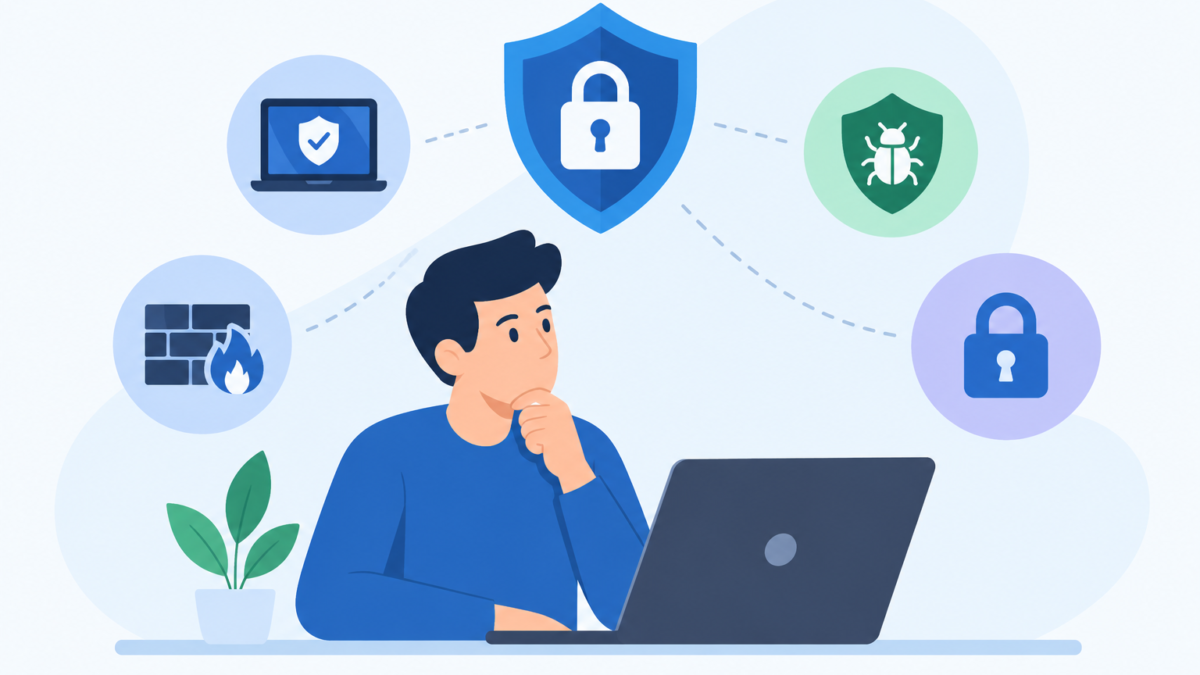
Search for security software and you will find hundreds of options, each promising to be the smartest, fastest, or most complete. Review sites rank them, influencers recommend them, and pop-up advertisements insist that you need one immediately. It is easy to end up choosing based on whichever message was loudest.
The better approach is slower and far less glamorous. It starts with understanding what you are trying to protect, who or what you are protecting it from, and which kinds of tools actually address those risks. Product comparison comes afterward, not before.
This article offers a practical way to make that decision. It covers how to define your risks, what the main tool categories do, how to judge quality and privacy, how to read pricing, and how to spot fake or low-value products. The goal is a confident choice that fits your life instead of a purchase you regret in three months.
Start With Your Risks, Not With the Product
Most bad security purchases happen because the buyer started with a product and worked backward. A well-designed advertisement makes a threat feel urgent, and a particular tool appears as the answer. Reversing that order protects both your money and your time.
Begin by listing what you have that matters. For most people this includes email accounts, banking and payment apps, photos and documents, work files, social media profiles, and the devices that hold all of them. Rank them by how painful it would be to lose or expose each one.
Then consider how those things could realistically be lost. The usual paths are malware from a bad download, phishing messages that steal logins, weak or reused passwords, unsafe networks, stolen devices, and leaks at companies that hold your data. You do not need to guess about exotic attacks, because ordinary ones account for most real incidents.
Next, think about your habits and environment. Someone who works from cafés faces different exposure than someone who rarely leaves home. A household with young children has different concerns than a single adult, and a freelancer who handles client files has different obligations than a casual browser.
Writing this down takes ten minutes and produces something valuable: a short list of your own top risks. When you later read a feature list, you can ask a simple question of each item. Does this help with one of my actual risks, or is it filler?
Know the Main Categories of Tools
Security products are grouped under confusing labels, and many suites combine several functions. Understanding the building blocks makes it easier to see what a product really includes. Here are the categories that matter most for individuals and families.
Antivirus and Anti-Malware
This category detects and removes malicious software such as viruses, trojans, spyware, ransomware, and infostealers. Good products combine signature databases, behavioral monitoring, and cloud lookups, and they run in the background to check files as they are opened or downloaded. This is the foundation for most devices that run full operating systems.
Many products also offer on-demand scanning for periodic checkups. A feature like Smart Scan is an example, reviewing a device for known threats and risky settings in one pass. Whether you need it on top of built-in protection depends on the platform and your habits, which later sections cover.
Web and Link Protection
A large share of attacks starts with a click, so tools that evaluate websites and links are valuable. Web protection blocks known malicious or deceptive pages as you browse, while URL checkers let you test an address before opening it. A browser-level tool such as Web Shield fits in this group.
For links that arrive by message or email, a separate Link Checker is useful because it lets you inspect an address without visiting it. The same idea applies to QR codes, which hide their destinations from the naked eye. A QR Scanner that previews the target gives you a chance to stop before landing somewhere harmful.
VPNs and Network Protection
A VPN encrypts the traffic between your device and a server run by the provider. This hides your activity from others on the same network and from your internet provider, and it can change your apparent location. It does nothing about malware or phishing, so it is a complement to device protection rather than a replacement.
Closely related are tools that assess the network itself. Wifi Security checks the connection you are using for weak encryption or suspicious behavior, helping you decide whether to trust it. A VPN then protects the traffic if you decide to use the network anyway.
Password Managers and Multi-Factor Authentication
Passwords remain the most common weak point, which makes password managers one of the highest-value tools you can adopt. They generate long, unique passwords for every account and fill them in for you, which removes the burden of memorizing them. Many also flag reused or exposed passwords.
Multi-factor authentication adds a second proof of identity, such as a code from an authenticator app or a hardware security key. It is often built into your accounts at no cost. Turning it on for email, banking, and cloud storage is usually more valuable than any paid product.
Breach and Identity Monitoring
When a company you use is hacked, your details can circulate without you ever learning about it. Monitoring tools check whether your email addresses or other identifiers appear in known breach collections. An Email Breach Scan is one such tool, and it helps you decide which passwords to change first.
More extensive identity monitoring services may also watch credit files, dark web listings, and public records. These can be useful in some countries and less so in others, depending on what protections already exist. Check what the service actually monitors before paying for it.
Parental and Family Tools
Households with children have needs that standard security software does not address. Parental Controls handle content filtering, screen time limits, app management, and sometimes location sharing. They are less about stopping criminals and more about guiding young people through risky parts of the internet.
Backup and Recovery Tools
Backups are not always counted as security, but they are what saves you when something goes wrong. Ransomware, hardware failure, theft, and simple mistakes all become far less painful when you have a recent copy of your files. The best arrangement keeps at least one copy offline or in a separate account.
Check What Your Devices and Accounts Already Provide
Before buying anything, find out what you already have. Many people pay for protection that overlaps heavily with features included in their devices and accounts. Knowing the baseline lets you buy only what fills actual gaps.
Windows includes Microsoft Defender through the Windows Security app, with real-time protection, ransomware controls, and a firewall. macOS has Gatekeeper, notarization checks, and XProtect, which together make it harder to run unsigned or known malicious software. On phones, app sandboxing limits what malicious apps can do, and Android adds Google Play Protect for scanning apps.
Your accounts offer protections too. Major email providers filter spam and phishing, and most large services support multi-factor authentication and security alerts. Browsers include warnings for dangerous sites and built-in password features.
These built-in layers are not perfect, and they vary in how well they cover web threats, phishing, and privacy. Still, they mean a modern device is not unprotected out of the box. The question becomes what additional protection you need on top of them.
A quick audit is worth doing. Check that built-in security is turned on and updated, that automatic updates are enabled, and that multi-factor authentication is active on your key accounts. If those basics are missing, fix them before shopping, because they cost nothing and deliver a great deal.
Consider Your Platforms and Devices
Not every tool works the same on every device. A product that is excellent on Windows may be minimal on iPhone, where apps cannot inspect the system in the way they can on a computer. Reading the fine print on platform support prevents disappointment.
On Windows and macOS computers, full security suites can monitor files and processes. On Android, security apps can scan installed apps, check permissions, and filter web traffic, though capabilities depend on the system version. On iOS, tools mostly focus on web filtering, network checks, breach alerts, and privacy features rather than traditional malware scanning.
Count your devices honestly. Include phones, tablets, laptops, desktops, and any shared family devices, and note the operating systems on each. A license that covers five devices sounds generous until you realize that you have eight.
Also think about older or unusual hardware. Some products drop support for older operating systems, and smart-home gadgets typically cannot run security software at all. For those devices, the best protection is network-level: a secured router, strong passwords, and regular updates.
Finally, consider how many people will use the tools. A family sharing a plan needs something that is easy to manage across ages and skill levels. A tool that only a technical person can configure will quickly be ignored by everyone else.
Judge Protection Quality With Evidence
Every product claims to be effective, so you need a way to separate claims from evidence. The most useful evidence comes from independent testing labs that evaluate products using realistic threats. AV-TEST and AV-Comparatives are two well-known examples that publish regular reports.
These tests typically measure three things. Protection shows how well a product blocks threats, performance shows how much it slows your device, and usability shows how often it raises false alarms. A strong product does well in all three, not just one.
Read results with some care. A product that scores very high on protection but makes your computer crawl will tempt you to disable it. Another that never flags anything wrongly may be missing real threats.
Check how recent the tests are. Threats and products change quickly, so a result from several years ago says little about today. Look for consistent performance across multiple test rounds rather than a single standout score.
Be skeptical of numbers from the vendor itself. Self-reported statistics such as “blocks 100 percent of threats” are not meaningful without a transparent method. Honest providers talk about layers and limits, since no product stops everything.
Not every category has formal lab testing. For VPNs, password managers, and breach scanners, evidence tends to come from independent audits, security researcher reviews, and the company’s track record. Look for published third-party audits of privacy claims and any history of incidents.
Look at Speed, Battery, and Everyday Usability
A security tool you resent is a tool you will eventually turn off. Performance and usability are not luxuries, because they determine whether protection stays active. Evaluate them as seriously as detection rates.
Watch for slowdowns during normal use. Startup time, file copying, app launches, and web browsing should feel close to normal with the tool running. Heavy scans should be schedulable for times when you are not working.
On phones, battery and data usage matter. Some security apps run constantly in the background and drain power, especially those that route traffic through a VPN or perform frequent scans. Check reviews that mention battery impact on devices similar to yours.
Pay attention to the interface. Alerts should be clear and actionable, telling you what happened and what to do. An app that floods you with vague warnings or constant upgrade prompts trains you to ignore it.
Test how easy it is to do routine tasks. Can you run a scan, check a link, pause protection temporarily, or add an exception without digging through menus? A good tool makes the right action simple and the risky action slightly harder.
Finally, consider how it behaves when something goes wrong. Clear logs, undo options, and quarantine features help you recover from false positives. Poorly designed tools can delete legitimate files with little explanation.
Examine the Privacy Practices of the Tool Itself
Security software has deep access to your devices, your browsing, and sometimes your network traffic. That makes the company behind it a trusted party, and trust should be earned rather than assumed. Many people overlook this step.
Start with the business model. If a product is free, find out how the company makes money. Some free tools are supported by paid upgrades, which is fine, while others are supported by collecting and selling user data, which defeats the purpose.
Read the privacy policy for specifics. Look for what data is collected, whether browsing history or file information is shared, how long it is kept, and whether you can opt out of analytics. Vague language such as “we may share data with partners” deserves caution.
Check app permissions on mobile devices. A security tool may need broad permissions to function, but it should not request access that has nothing to do with its purpose. Be wary if a simple scanner asks for your contacts, microphone, or precise location without clear reason.
For VPNs especially, look at logging policies and ownership. A provider that claims not to keep logs should be able to point to independent audits or court cases that support the claim. Hidden ownership, unclear jurisdiction, and exaggerated promises of anonymity are warning signs.
Consider the company’s security record. Even security vendors suffer incidents, and what matters is how they handled them. Prompt disclosure, a clear explanation, and concrete fixes indicate maturity, while silence or denial does not.
Separate Useful Features From Padding
Security suites often compete by adding long feature lists, and the list can obscure what you actually need. A longer list does not necessarily mean better protection. It may simply mean a higher price.
Sort every feature into one of three groups. Core features address your top risks directly, such as malware protection, web filtering, or breach alerts. Helpful extras make your life easier but are not essential, such as a basic password manager. Padding includes features you will never use or can easily get elsewhere.
Be particularly careful with performance optimizers, registry cleaners, and similar utilities. Some are harmless, but many offer little real security value and can even cause problems. They are sometimes used to make a package look more substantial.
Watch for features that overlap with what you already have. Paying for a second password manager, a second VPN, or a second backup service wastes money and complicates your setup. Choose one tool for each job.
Bundles can make sense when the pieces are genuinely useful and work together. A single provider such as AVO Security, for example, can offer several protective functions in one app, which is simpler to manage than stitching together six separate products. The key is to verify each component on its own merits instead of assuming that a bundle is automatically adequate.
Also consider whether features are limited by plan tier. It is common for a product’s marketing to highlight the premium version while the cheaper plan omits key functions. Compare the exact plan you intend to buy.
Match the Tool to Who You Are
Different people need different combinations, and the same person’s needs change over time. These profiles are simplified, but they show how risk-based thinking leads to different answers. Use them as starting points rather than prescriptions.
The Light Home User
If you browse, stream, shop, and use email mostly from home, your priorities are basics. Keep devices updated, use a password manager, turn on multi-factor authentication, and keep built-in protection active. A paid suite is optional, and the main benefit would be stronger web and phishing protection.
For this person, a breach scan and a link checker add useful visibility at little cost. A VPN is a preference rather than a necessity. Spend where you see a clear gap, and skip the rest.
The Frequent Traveler
If you regularly use airport, hotel, and café networks, network protection earns its place. A VPN encrypts traffic on networks you cannot vet, and a network check helps you avoid obviously poor connections. Combine these with device protection, since travel exposes devices to more unfamiliar situations.
Also consider device theft. Strong screen locks, encryption, remote wipe options, and regular backups matter as much as any software for people who carry laptops and phones around.
The Family With Children
Families should think in terms of shared management. Protection for each device, simple rules about downloads and links, and tools that handle content filtering and screen time are the core. Parental controls work best when paired with honest conversations, because young people tend to find ways around restrictions they do not understand.
Choose tools that scale with age. A system suitable for a seven-year-old can feel intrusive for a sixteen-year-old, so look for adjustable settings. Also consider whether you want reporting on activity or only blocking, and discuss that choice with your children.
The Remote Worker or Freelancer
People who work from home often mix personal and professional activity on the same devices. If your employer provides security tools, follow their policy and avoid installing software that interferes with it. If you are self-employed, treat client data seriously, because a breach can damage both reputation and contracts.
For freelancers, strong account protection, encrypted backups, careful handling of client files, and a clear separation between work and personal profiles are all worth the effort. Check any contracts for security requirements. Some clients specify tools or practices you must follow.
The Small Business Owner
Small businesses have obligations beyond personal protection, including customer data and sometimes regulatory requirements. Look for tools that offer central management, so one person can see the status of all devices and enforce settings. Consumer products rarely provide this, so business-oriented plans may be a better fit.
Beyond software, put effort into access control, employee training, patching, and an incident plan. The tool is only one part of the system. Many small business breaches trace back to a phished employee or a forgotten account, not a missing product.
Understand Pricing, Licensing, and the Fine Print
Price tags in security can be misleading. The number you see on the advertisement may apply only to the first year, with a much higher renewal rate afterward. Reading the details before purchase avoids unpleasant surprises.
Check whether the introductory price renews at a higher rate. This is common, and it is not necessarily dishonest, but you should know the long-term cost. Compare total cost over two or three years rather than the first-year discount.
Look at the number and type of devices covered. Some plans cap the total, others limit by operating system, and a few restrict how many people can share the license. Make sure the plan fits your actual household.
Read the cancellation and refund terms. Reputable providers usually offer a money-back window, though the length varies. Also check whether auto-renewal is on by default and how easy it is to switch off.
Be careful with bundled extras that start as trials and convert to paid subscriptions. Set a reminder for the end of any trial. Cancel promptly if you decide not to continue.
Think about value rather than just price. A slightly more expensive tool that protects all your devices, runs quietly, and replaces two other subscriptions may be cheaper overall. A very cheap tool that you abandon after a month is not a bargain.
Evaluate Support, Updates, and the Company Behind It
Security is an ongoing service, not a one-time product. The tool you buy today needs regular updates to remain useful, and the company must keep pace with new threats. Evaluating the provider’s reliability matters as much as the feature list.
Look at how often detection data and software updates are released. Automatic, frequent updates are the norm for reputable products, and a long gap should concern you. Check that updates apply without requiring you to do anything.
Consider support quality. Clear documentation, responsive help channels, and a straightforward way to report problems become important when you are dealing with a suspected infection or a billing issue. Test support before you buy by asking a simple question and seeing how helpful the answer is.
Research the company’s history and transparency. How long has it been operating, who owns it, and what is its reputation among independent reviewers and researchers? A new company is not automatically bad, but a lack of verifiable information is a reason to be cautious.
Look for signs of responsible behavior, such as publishing security advisories, participating in vulnerability disclosure programs, and being open about how its technology works. Companies that hide behind marketing language are harder to trust. In security, openness is a strong signal.
Try Before You Commit
Free trials and money-back guarantees exist for a reason, so use them. A product can look perfect on paper and feel frustrating in practice. A week or two of real use reveals things that no review can.
Install the trial on the devices you use most. Use them as you normally would, including your usual browsing, downloads, and work apps, and note any slowdowns or conflicts. Pay attention to how often it raises alerts and whether they make sense.
Test the features that matter to you. Run a scan, check a few links, try the VPN on your home and mobile connections, and set up any family controls. Make sure the tool does what you expected, not just what the site claimed.
Keep a short checklist as you test. Note performance, ease of use, clarity of alerts, battery impact, and any privacy concerns that appear in the settings. Compare two or three candidates against the same list.
Avoid running multiple full antivirus products at once during trials, since they can conflict. Uninstall one cleanly before testing another, using the removal tool if the vendor provides one. For other categories, such as breach scanners and link checkers, trying several side by side is usually fine.
When the trial ends, make a decision based on your notes. If nothing clearly impressed you, it is perfectly reasonable to rely on built-in protections and good habits. You are not obliged to buy.
Recognize Red Flags and Fake Security Products
The security market has its own scams, and they target exactly the people who are trying to be careful. Knowing the common signs helps you avoid paying for something harmful. Fake or deceptive tools can cause the very problems they claim to solve.
Scareware is the most familiar example. A pop-up or web page claims that your device is infected and urges you to download a tool or call a support number immediately. Legitimate security software does not appear this way, and the correct response is to close the page and run your real, trusted tools.
Be wary of unsolicited calls or messages offering security help. Technical support scams often start with someone claiming to represent a well-known company. They then ask for remote access to your device or payment for unnecessary services.
Download tools only from official sources, such as the vendor’s own site or your device’s official app store. Search results and advertisements can lead to imitation sites that offer modified installers. Check the web address carefully before downloading.
Other red flags include guarantees of total protection, anonymity, or immunity, which no honest product can provide. Also watch for pressure tactics, such as countdown timers and claims that a discount ends in minutes. Real security decisions do not require panic.
Finally, be suspicious of apps with many fake-looking reviews, little information about the developer, or excessive permissions. Take a moment to check ratings from independent sources. If you cannot find reliable information, choose something else.
Keep the Tool Working After You Choose It
Choosing well is only half the task. Tools degrade in value if they are neglected, misconfigured, or turned off. A few maintenance habits keep your investment working.
Leave automatic updates on, for both the security tool and your operating system. Check periodically that protection is active, since software can be disabled by accident or by other programs. Review alerts rather than dismissing them automatically.
Revisit your choices once or twice a year. Your devices, household, and work situation change, and so do the products themselves. A tool that fit well two years ago may no longer match your needs, or a better option may have appeared.
Combine tools with sensible behavior. Unique passwords, multi-factor authentication, careful clicking, regular backups, and prompt updates remain the foundation. The best software supports good habits but cannot replace them.
Lastly, teach the people around you. A household or team is only as strong as its least careful member. A short, friendly conversation about suspicious messages and safe downloads is worth more than another subscription.
Conclusion
Choosing the right cybersecurity tool is mostly an exercise in clarity. Identify what you need to protect and the realistic ways it could be lost, check what your devices already provide, and then fill the remaining gaps with tools backed by independent evidence and transparent privacy practices. Be skeptical of long feature lists, dramatic warnings, and promises of complete protection.
The practical takeaway is to buy for your risks, not for the advertisement. Test products before committing, read the pricing and privacy terms, and keep your habits strong, since no product works well on its own. If a bundled option such as AVO Security fits your list of needs after that process, it can be a convenient choice, but the decision should always come from your own requirements and not from the pitch.