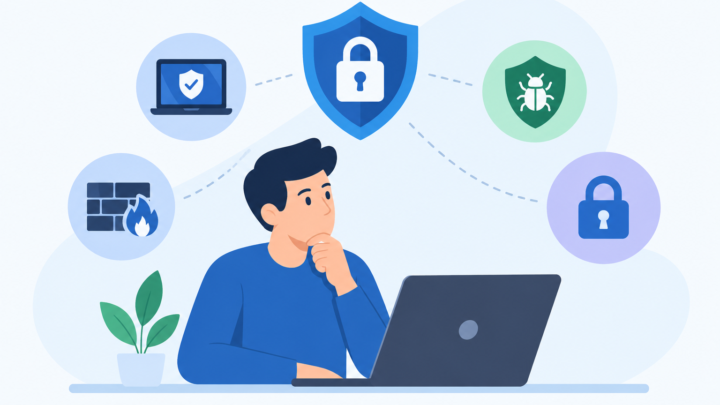
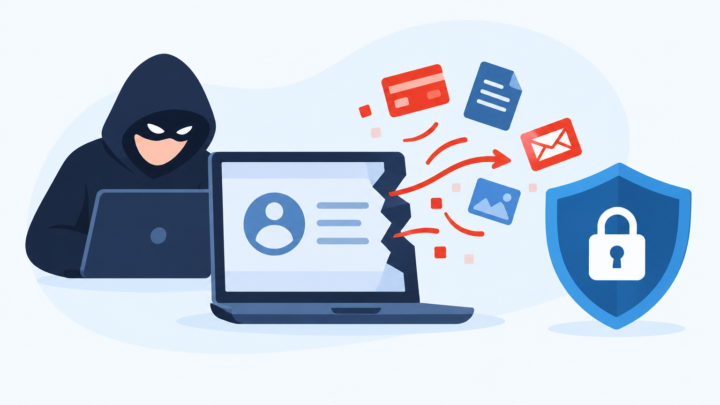
Antivirus vs VPN: What You Actually Need
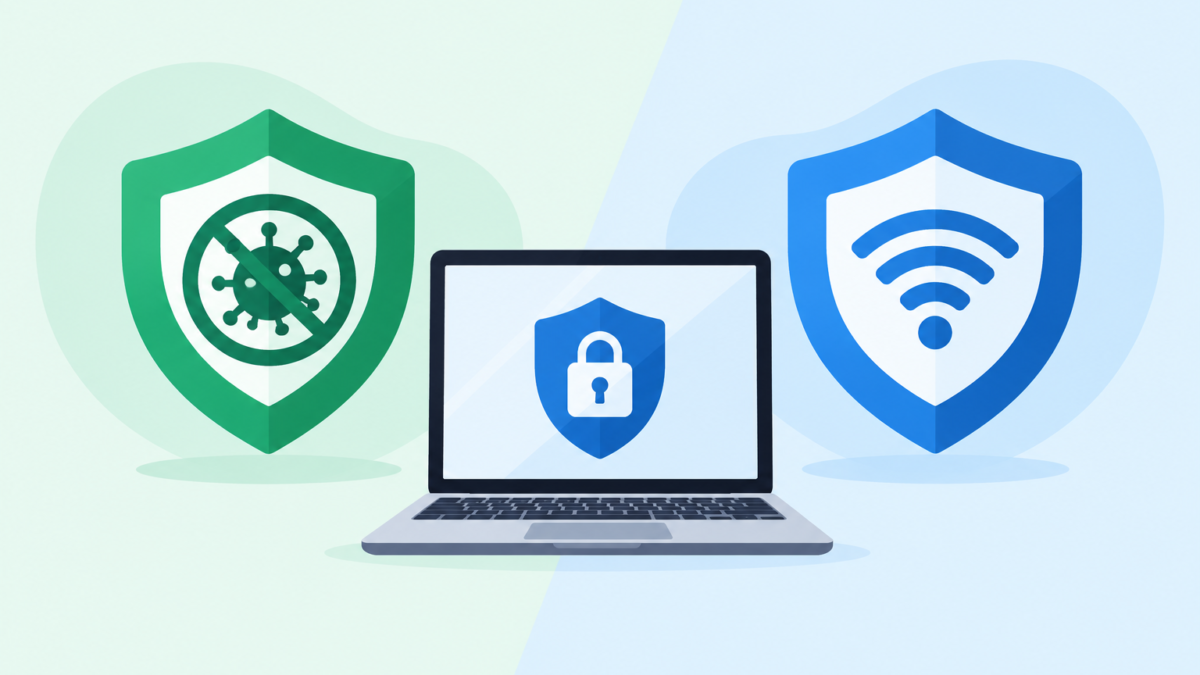
Walk through any app store or security website and you will see the same pair of products pitched side by side. One promises to keep viruses off your device, and the other promises to make your connection private. Many buyers end up confused about whether they need one, the other, or both.
The confusion is understandable, because marketing often blurs the line. Some advertisements suggest that a VPN stops hackers, while others imply that antivirus software protects your privacy online. Neither claim is accurate, and believing them can leave real gaps in your defenses.
This article explains what each tool does, what it cannot do, and where the two overlap. It then looks at common myths, the protections already built into your devices, and a few realistic scenarios. By the end, you should be able to decide what you actually need without paying for features that do not match your risks.
Two Tools, Two Different Jobs
The simplest way to separate the two is to ask where each one stands. Antivirus software stands on your device and looks at what is running, what is being downloaded, and what is being opened. A VPN stands between your device and the wider internet and changes how your traffic travels.
Put another way, antivirus is about the safety of your device and files. A VPN is about the privacy and integrity of your connection. Those are related but separate problems.
An analogy helps. Think of your device as a house. Antivirus is like a security guard inside who inspects visitors and packages, while a VPN is like an armored car that carries you between your house and your destination so that nobody on the road can see inside.
The guard cannot protect you on the road, and the armored car cannot stop a dangerous package that you carry into the house yourself. This is why asking which one is better misses the point. The better question is which risks you face and which tool addresses them.
What Antivirus Software Actually Does
Antivirus software, increasingly sold under names like internet security or endpoint protection, is built to detect and stop malicious software. Malware includes viruses, trojans, spyware, ransomware, adware, and the infostealers that quietly harvest saved passwords. The word antivirus is a little dated, but the job has grown rather than shrunk.
Detection Methods
Early antivirus products worked mostly by signatures. Each known piece of malware has recognizable characteristics, and the software compares files against a database of those fingerprints. This works well for known threats, but it is weak against brand-new ones.
To fill that gap, modern products add heuristic analysis. Instead of matching exact fingerprints, they look for suspicious traits such as code that tries to hide itself or instructions commonly used by malware. This can catch variants that have never been seen before, although it sometimes produces false alarms.
Behavioral monitoring goes a step further. It watches what a program does while running, such as rapidly encrypting many files, modifying system settings, or trying to read browser password stores. If the pattern looks like ransomware or spyware, the software can stop the process and roll back changes in some cases.
Many products also use cloud lookups, where an unknown file is checked against a vendor’s online intelligence in seconds. This allows protection to update much faster than a daily download. The tradeoff is that some data about files and websites is shared with the vendor, which is one reason to read the privacy policy.
Real-Time Protection and On-Demand Scans
Most people think of antivirus as a scan, but the more valuable part is real-time protection. The software checks files as they are downloaded, opened, copied, or run. This catches threats at the moment they would otherwise start working.
On-demand scans are a backup. A full scan looks through everything stored on the device, which is useful if you suspect something slipped past, or if you are checking a device that was not protected before. A quick scan focuses on the places malware most commonly hides, such as startup items and system folders.
A tool such as Smart Scan is an example of this on-demand layer. It reviews your device for known threats and risky settings in one pass, which is handy for periodic checkups. As with any scanner, its value depends on how current its detection data is, so updates matter.
Web and Email Protection
Today, many infections start in a browser or an inbox rather than from a physical disk. For this reason, most antivirus suites include web protection that blocks known malicious or deceptive websites. A feature like Web Shield fits here, warning you before you load a page that has been flagged for malware or phishing.
Some products also scan email attachments and downloads. This provides a second chance to catch a bad file even if you were fooled by the message. It is not perfect, because new attacks are not in any database yet, but it reduces the number of threats that reach your screen.
Ransomware and Exploit Protection
Better suites include ransomware shields that protect specific folders from unauthorized changes. If an unknown program tries to modify your documents or photos, the shield blocks it or asks for permission. This is a practical safeguard because ransomware causes damage quickly.
Some also include exploit protection, which looks for attempts to abuse weaknesses in browsers and common software. This helps in the gap between a vulnerability being discovered and a patch being installed. It is a useful layer, but it does not replace updating your software.
What Antivirus Cannot Do
It is just as important to understand the limits. Antivirus does not encrypt your internet traffic, hide your IP address, or stop your internet provider from seeing which domains you visit. If your privacy concern is about being observed on a network, antivirus alone does not solve it.
It also cannot fully protect you from being tricked. If you enter your password into a convincing fake login page, there is no malware involved, and the attacker simply uses the credentials you gave them. Web filtering helps when the page is already known, but brand-new phishing sites can slip through for a while.
Antivirus cannot undo a data breach at a company that stores your information. If a retailer is hacked and your details are leaked, your device was never the weak point. The defense for that is good account hygiene, including unique passwords and multi-factor authentication.
Finally, no antivirus detects everything. Independent testing labs such as AV-TEST and AV-Comparatives regularly show that top products block the vast majority of threats, but never all of them. Treat it as a strong layer that reduces risk rather than a force field.
What a VPN Actually Does
A VPN, short for virtual private network, creates an encrypted tunnel between your device and a server run by the VPN provider. Your traffic travels through that tunnel, then exits onto the internet from the VPN server. To the websites you visit, your traffic appears to come from the server’s address rather than your own.
That simple mechanism has several effects. It hides the content and destinations of your traffic from anyone on the local network, such as other people on café Wi-Fi. It also prevents your internet provider from seeing which sites you visit, since the provider only sees an encrypted connection to the VPN.
A VPN can also change your apparent location. This is why people use it to reach services that are limited to certain regions, or to compare prices that vary by country. The legality and terms of service for this vary, so it is worth checking the rules of the platforms you use.
Public Wi-Fi and Untrusted Networks
The classic use case is public Wi-Fi in airports, hotels, and cafés. These networks are shared by strangers, and some are poorly configured or even deliberately fake. A VPN encrypts everything leaving your device, which makes it much harder for anyone on that network to observe or alter your traffic.
It is worth being honest about how much this matters today. Most major websites already use HTTPS, which encrypts the content of your connection even without a VPN. What a VPN adds is protection for metadata, for apps that do not encrypt well, and for the moments when something goes wrong with a network you do not control.
Checking the network itself is a good complement. A feature such as Wifi Security looks at the connection you are on for weak encryption or suspicious behavior, so you can decide whether to use it at all. A VPN protects the traffic, while a network check helps you decide whether to trust the connection in the first place.
Privacy From Your Internet Provider
Without a VPN, your internet provider can generally see the domain names you visit, how long you connect, and how much data you use. In some countries, providers are allowed to collect and use this information for advertising or to share with other parties. A VPN shifts that visibility away from the provider.
Of course, it moves the trust somewhere else. The VPN provider can see the same information that your internet provider would have seen. That is why the provider’s no-logs policy, jurisdiction, and independent audits matter far more than the number of servers or the price.
Remote Access and Work
For many people, a VPN is not a privacy tool at all but a work tool. Companies use VPNs to give employees secure access to internal systems from outside the office. This is a different use of the same technology, and it often comes from the employer rather than a consumer app.
If your job provides a VPN, use it as instructed and do not mix it with personal browsing. Corporate policies often require that work traffic goes through the company network, and they may monitor it. A personal VPN is a separate product with a separate purpose.
What a VPN Cannot Do
A VPN does not scan files, remove malware, or block malicious downloads. If you download an infected program while connected, the VPN will faithfully deliver it through the encrypted tunnel. The tunnel protects the journey and says nothing about the contents of the package.
It does not make you anonymous either. Websites can still recognize you through logins, cookies, browser fingerprinting, and payment details. If you sign in to your email while connected to a VPN, the email provider still knows who you are.
A VPN does not stop phishing. A fake bank page is just as fake when viewed through an encrypted tunnel. Nor does it protect accounts from credential stuffing or breaches at the services you use.
Some VPN products include extra features, such as ad and tracker blocking or malicious domain filtering. These can be useful, but they are add-ons that work at the network level and are not a replacement for full device protection. The core product remains a tunnel.
Lastly, a VPN can slow your connection, because traffic takes a longer path and is encrypted. A good service keeps this modest, yet you should expect some impact, especially if you connect to a server far away. This is another reason to choose a nearby server unless you specifically need a different location.
Matching the Tool to the Threat
The easiest way to decide what you need is to list the threats you actually face and see which tool addresses each. The comparison below covers the most common ones. Where both tools help, the protection tends to be partial rather than complete.
Malware from a downloaded file is clearly in antivirus territory. A VPN does not examine files, so it offers no protection here. Real-time scanning and behavioral detection are the relevant layers.
Phishing links in email or messages are mostly a job for web filtering, careful habits, and URL checking. Before opening an unfamiliar address, a Link Checker can show whether it has been reported as harmful. A VPN has no role in deciding whether a link is deceptive.
Malicious QR codes are a similar story. Because you cannot read a code with your eyes, a QR Scanner that previews the destination gives you a chance to stop before landing on a fake payment or login page. This is a device-side and awareness issue, not a network one.
Eavesdropping on public Wi-Fi is where a VPN shines. It encrypts your traffic so that other users on the network see little of value. Antivirus does not do this, though web protection can still reduce exposure to bad sites.
Tracking by your internet provider is another VPN-specific concern. The provider can no longer see your destinations, though the VPN provider can. Antivirus has no effect on this.
Website tracking and advertising profiles sit in a gray area. A VPN hides your IP address, but trackers use cookies and fingerprints that persist anyway. Browser privacy settings, tracker blockers, and limiting logins do more here than either product alone.
Data breaches at companies are mostly outside the reach of both tools. Your response is to know which of your accounts are exposed and to change affected passwords. An Email Breach Scan can tell you whether your address appears in known breach collections, which helps you prioritize.
Children’s exposure to inappropriate content or risky contacts is another separate category. Neither a VPN nor core antivirus is designed for this, and in fact a child could use a VPN to bypass filters. Dedicated Parental Controls are built for content filtering, screen time, and visibility into app use.
Taking stock of this list shows an important pattern. Antivirus covers threats that arrive as software, VPN covers threats that live on the network, and neither covers human deception or account breaches on its own. That is why habits sit at the center of any sensible security plan.
Common Myths That Lead to Bad Decisions
Several beliefs about these products keep resurfacing, and they cause people to over-trust one tool or ignore another. Clearing them up is the fastest way to spend money wisely. Here are the ones that matter most.
Myth: A VPN Protects Me From Hackers
This is the most common claim in advertising. A VPN protects your connection from people observing or tampering with traffic on a network, which is one type of attack. It does not prevent malware, phishing, weak passwords, or account takeovers, which are responsible for the majority of real incidents.
If someone sends you a malicious attachment and you open it, the VPN is not involved. If you reuse a password that was leaked, the VPN is irrelevant. Think of it as one lock on one door.
Myth: Antivirus Makes Me Private Online
Antivirus can reduce tracking by blocking known malicious domains, and some suites add privacy features. Yet its main task is detecting threats, not hiding your identity or encrypting your traffic. If privacy from your network or provider is your goal, antivirus will not deliver it.
Myth: Macs and iPhones Do Not Need Any Protection
Apple devices have strong built-in defenses, and they are less targeted than Windows machines by volume. However, malware for macOS exists, including adware, infostealers, and fake installers. Phishing and account takeover work regardless of the operating system.
The accurate statement is that Apple devices need less protection of a certain kind, not none. Keeping software updated, installing apps only from trusted sources, and being cautious with links matters on every platform.
Myth: Free Tools Are Just as Good
Some free antivirus products from reputable vendors offer solid basic protection. Free VPNs are a very different story, because running servers costs money and someone has to pay for it. Some free VPNs earn revenue by showing ads, collecting browsing data, or limiting speeds to push upgrades.
Researchers have repeatedly found problems in free VPN apps, including excessive tracking and weak security. That does not mean every free option is bad, but you should verify the company’s business model and privacy practices. If you cannot tell how a VPN makes money, you may be the product.
Myth: More Products Always Means More Security
Stacking several antivirus programs on one device usually creates conflicts rather than extra protection. They can interfere with one another, slow the system, and in some cases cause crashes. One well-configured, real-time antivirus is the right approach, with other tools serving different purposes.
The same logic applies to piling on utilities that overlap. More tools mean more settings to manage and more places to make mistakes. Choose a small set that covers distinct risks.
What Your Devices Already Protect You From
Before buying anything, it helps to know what comes with your devices. Modern operating systems have invested heavily in security, and for many casual users, the built-in layer is a decent starting point. Knowing its limits tells you where extra tools might add value.
Windows includes Microsoft Defender Antivirus through the Windows Security app. It provides real-time protection, cloud-delivered detection, ransomware controls, and a firewall. In independent tests, it has generally performed competitively, though results vary by lab and year.
macOS uses several layers, including Gatekeeper, which checks apps before they run, notarization requirements for software, and XProtect, a built-in malware detection system that Apple updates in the background. These make it harder to run unsigned or known malicious software by accident. They are less comprehensive than a full security suite, particularly for phishing and web threats.
On iPhone and iPad, apps run in tightly restricted sandboxes and come mainly through the App Store review process. This limits what malware can do, and traditional antivirus apps cannot scan the system in the way they do on a computer. The bigger risks on iOS are phishing, malicious links, risky configuration profiles, and account takeovers.
Android has Google Play Protect, which scans apps in the Play Store and on the device. Risk rises when people install apps from outside the official store or grant excessive permissions. Keeping the system updated and being selective about permissions does as much as any extra app.
None of these built-in systems includes a consumer VPN with the full set of features, though some platforms offer limited privacy services. Network encryption and location changes are generally outside the default toolkit. That is the main gap that a VPN fills.
Who Needs What: Realistic Scenarios
General advice only goes so far, so it helps to look at common situations. These scenarios are simplified, but they show how the decision plays out. Use them as a guide rather than a rulebook.
The Casual Home User
If you mostly browse, stream, shop, and check email from home on a Windows or Mac computer, the first priority is the basics. Keep your system updated, use a password manager, enable multi-factor authentication, and treat unexpected links with caution. Built-in antivirus is a reasonable baseline for many people, with a paid suite as an optional upgrade for extra web protection and features.
A VPN is optional here. You might use one if you care about hiding your browsing from your internet provider or want access to region-limited services. It is a preference, not a requirement.
The Frequent Traveler or Café Worker
If you often work from airports, hotels, cafés, or coworking spaces, a VPN moves up the priority list. You are regularly connecting to networks you cannot vet, and encrypting your traffic lowers the risk of interception or tampering. Pair it with a habit of avoiding sensitive logins on open networks when you can.
Antivirus remains important because travel devices are exposed to more downloads, shared USB ports, and unfamiliar environments. Network checks are also helpful when a connection behaves strangely. Ideally, you run all three layers: device protection, network awareness, and an encrypted connection.
The Remote Employee
Remote workers should follow their employer’s security policy first. That often means using a company VPN, a managed antivirus or endpoint tool, and approved devices. Mixing personal and work activity on the same device can create both security and privacy issues.
If you are allowed to use personal tools, check with your IT team before installing anything that changes network traffic. A personal VPN running at the same time as a corporate one can cause connection problems or violate policy. When in doubt, ask.
The Family With Children
For families, the most pressing risks are usually malicious downloads, scam links, inappropriate content, and oversharing. Antivirus on each device, strong passwords, and a simple conversation about not clicking unknown links go a long way. Child-specific controls are important because they address content and screen time, which neither antivirus nor a VPN is designed to manage.
A VPN may not be needed for children, and it can even complicate supervision if it hides activity from monitoring tools. Think carefully before adding one to a child’s device. Open discussion about safe behavior is often more effective than any technical tool.
The Gamer or Streamer
Gamers face a mix of threats, including fake game cheats, malicious mods, account theft, and occasional denial-of-service attacks against exposed IP addresses. Antivirus helps with downloaded files, and two-factor authentication is crucial for gaming accounts. A VPN may offer some protection against IP-based harassment, though it can add latency that affects gameplay.
If you stream or play competitively, test the performance before relying on a VPN. Pick a nearby server and see whether the delay is acceptable. Never download cheats or cracked software from unofficial sources, since those are among the most common ways accounts and devices get compromised.
The Privacy-Focused User
If your main concern is limiting how companies and providers track you, a VPN is only a part of the answer. You will also want a privacy-respecting browser, tracker blocking, separate email addresses for different purposes, and careful settings on social platforms. The VPN hides your IP, but the other measures deal with cookies, fingerprints, and account-based tracking.
Even so, you still need to protect the device itself. A privacy setup on a malware-infected computer is not private at all. This is where antivirus and good update habits fit alongside.
How to Choose a Good Antivirus
If you decide a paid or third-party antivirus makes sense, do not choose based on advertising. Look first at independent test results from labs such as AV-TEST and AV-Comparatives, which measure protection, performance impact, and false positives. Results change from year to year, so check recent ones.
Consider the impact on your device’s speed and battery. A product that blocks threats but makes the computer sluggish will tempt you to turn it off. Reading recent reviews and testing a trial version helps.
Check what is included and whether you will actually use it. Features like password managers, web protection, and parental tools can be valuable, but extras you never open add little. Also consider the number of devices covered and whether the license works across Windows, Mac, Android, and iOS.
Privacy policies matter too, since security software sees a lot. Look for clear explanations of what data is collected, how it is used, and whether you can opt out of sharing. A reputable vendor makes this easy to find.
Finally, look at support and update practices. Detection data should update automatically and frequently. A support team that responds clearly is useful when something breaks or looks suspicious.
How to Choose a Good VPN
VPN selection deserves even more care, because you are handing a company access to your traffic. The most important factor is trust, which comes from transparent ownership, a clear no-logs policy, and independent audits of that policy. Marketing claims alone are not proof.
Look at the technical basics. Modern protocols such as WireGuard and OpenVPN are widely regarded as strong, and a kill switch that blocks traffic if the tunnel drops prevents accidental exposure. DNS leak protection is also important, since leaked DNS requests can reveal the sites you visit.
Check the jurisdiction and legal environment where the company operates. Some countries have mandatory data retention rules or surveillance cooperation arrangements. A strong privacy policy matters less if the provider can be compelled to collect data.
Consider speed, server locations, and device support. If you plan to stream, work, or game, test performance during a trial or money-back period. Make sure the app is available for all the devices you use and is easy enough that you will actually turn it on.
Avoid services that make extravagant promises, such as claiming total anonymity or complete protection from all hackers. Honest providers explain what a VPN can and cannot do. If the website sounds like a miracle cure, move on.
Bundled options exist as well. Some security suites, including AVO Security, offer a VPN alongside antivirus-style tools, which can be convenient and cost-effective if the VPN meets your standards. Evaluate it with the same criteria you would apply to a standalone service, rather than assuming that a bundle is automatically adequate.
Habits That Matter More Than Either Tool
It is tempting to treat a purchase as the end of the security question, but habits do most of the heavy lifting. Both antivirus and VPNs are strongest when they support good behavior. Several practices cover risks that neither tool can fully address.
Use unique, long passwords for each account, stored in a password manager. Turn on multi-factor authentication, especially for email, banking, and cloud storage, and prefer an authenticator app or security key over text messages. This single step blocks a large share of account takeovers.
Install updates promptly, for the operating system, browser, and apps. Many attacks use vulnerabilities that already have fixes, and updates close those doors. Automatic updates remove the need to remember.
Slow down before clicking. Check the sender, look at the actual web address, and be suspicious of urgent requests for money, passwords, or codes. When in doubt, go to the company’s official website directly instead of using a link in a message.
Back up important files in more than one place, with at least one copy offline or in a separate account. This protects you from ransomware, hardware failure, and accidents. A backup you have tested is far more useful than one you only assume works.
Review what you share and who has access. Remove old apps, delete unused accounts, and check app permissions on your phone. The less data you leave scattered around, the less there is to lose in someone else’s mistake.
The Practical Takeaway
Putting everything together, the answer to the title question is that antivirus and VPN solve different problems, and most people need to start with the former. Antivirus, whether built in or third-party, protects the device from malicious software, which remains a leading cause of real harm. A VPN is a targeted tool for network privacy that becomes more valuable the more you travel, use public networks, or want to limit what your internet provider sees.
A sensible order of priority looks like this: strong passwords with multi-factor authentication, regular updates, reliable device protection, and then a VPN if your situation calls for it. Add specialized tools such as link and QR checking, breach alerts, and family controls where they match your actual risks. A suite like AVO Security brings several of these under one roof, but the principle is the same whichever products you pick: choose tools by the threat they address, be skeptical of sweeping promises, and let good habits do the rest.