How Data Breaches Happen and How to Prevent Them
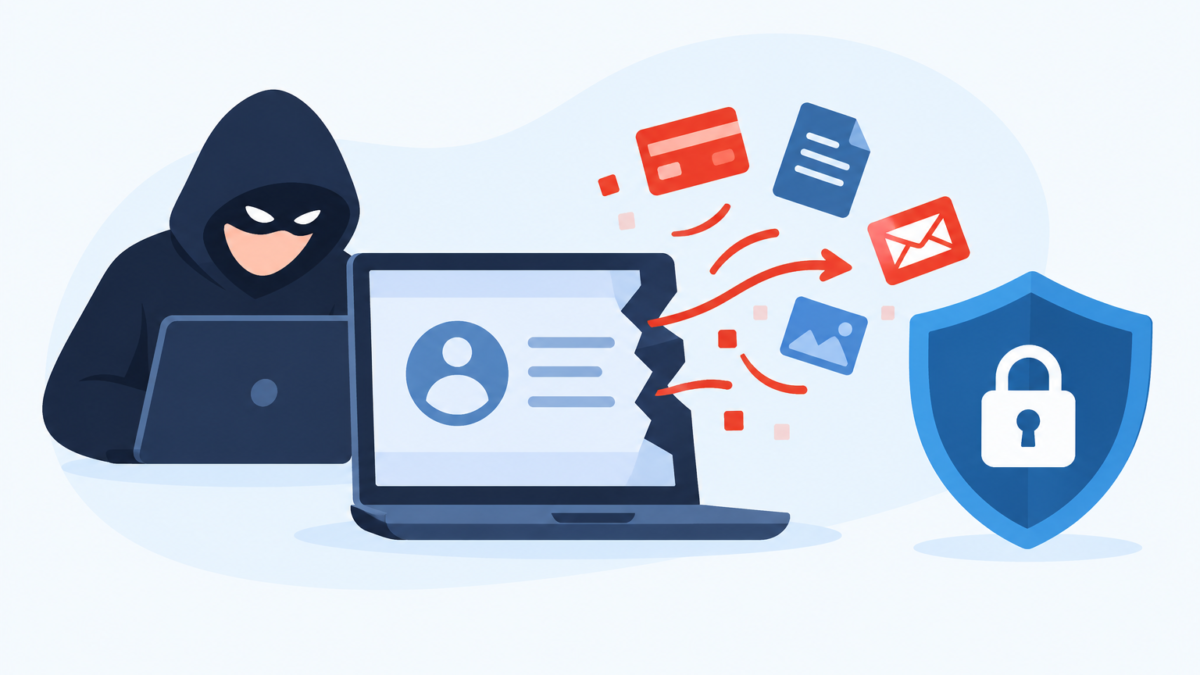
Most people have seen the message by now. A retailer, a clinic, a school, or an app you barely remember using writes to say that “some personal information may have been accessed.” The email is calm and carefully worded, and it rarely explains what actually went wrong.
That vagueness is part of the problem. When we don’t understand how breaches happen, they feel like random lightning strikes that nobody could have prevented. In reality, the large majority of breaches follow a small number of well-worn paths, and many of them can be blocked or at least softened with ordinary habits.
This article walks through what a data breach is, how attackers get in, and what stolen data is used for. It then covers practical steps for individuals, families, and small businesses, along with what to do if your information has already been exposed. The goal is not to frighten you, but to make the whole subject easier to reason about.
What a Data Breach Actually Is
A data breach is any incident in which information is accessed, copied, or exposed by someone who was not supposed to have it. That can happen through a deliberate attack, through a careless mistake, or through a combination of the two. The key point is that the data left the control of the people responsible for protecting it.
It helps to separate a breach from a few related terms. A hack usually describes an active intrusion into a system. A data leak is often accidental, such as a database left open to the internet with no password. Both end up as breaches from the perspective of the people whose records are inside.
The type of data involved matters a great deal. Some breaches expose only email addresses and usernames, which is annoying but limited. Others expose government ID numbers, medical records, payment card details, home addresses, and private messages, which can cause harm for years.
Breaches also differ in who gets hurt. Sometimes the target is a company and the customers are collateral damage. Other times, the attacker goes straight for individuals, such as when a criminal takes over one person’s email account to reach their contacts or bank.
It is also worth knowing that a breach is not always noticed right away. Investigations regularly show that intruders were inside a network for weeks or months before anyone spotted them. During that time, they can quietly copy files, read email, and map out where the most valuable information lives.
Why Stolen Data Is Worth So Much
To understand why breaches keep happening, it helps to look at the market on the other side. Stolen data is a product, and there is a steady stream of buyers for it. Criminals rarely use what they steal personally; they sell, trade, or bundle it.
Login credentials are among the most traded items because they are cheap to use and easy to test at scale. A list of a few million email and password pairs can be fed into automated tools that try them on banking sites, shopping accounts, and social media. Even a very low success rate pays off when the process is automated.
Personal details such as full name, date of birth, address, and ID number are used for identity fraud. With enough of these details, someone can open credit accounts, file false tax returns, or pass the “security questions” that support teams use to verify callers. This is why a breach of an apparently boring database can still cause real trouble later.
Payment card data has a shorter shelf life because banks can cancel and reissue cards quickly. Even so, stolen card numbers are often used within hours in small test purchases, followed by larger ones if the tests go through. Medical records tend to be valuable for a different reason: they are hard to change, they contain rich identity details, and they can be used for insurance fraud.
Finally, some data is not sold at all but used for pressure. In ransomware cases, attackers copy sensitive files first, then threaten to publish them unless the victim pays. This tactic, often called double extortion, works because even good backups cannot un-leak a file that has already been stolen.
How Data Breaches Happen: The Main Entry Points
Breaches can look complicated from the outside, but the starting points are surprisingly repetitive. Reports from security firms and incident response teams keep returning to the same handful of causes year after year. Understanding them is the first step toward closing them.
Phishing and Social Engineering
Phishing remains one of the most common ways in. An attacker sends a message that looks like it comes from a bank, a delivery service, a manager, or an IT department, and asks the recipient to click, log in, or open an attachment. The message might be an email, a text message, a direct message on social media, or even a phone call.
The trick is rarely technical. It works by creating pressure or curiosity: an account is about to be closed, a payment failed, a package is waiting, or an executive needs a favor urgently. People who are busy or distracted tend to act before they think.
Modern phishing is also far more polished than the clumsy messages of a decade ago. Attackers copy real branding, use convincing domain names, and increasingly write in fluent, natural language. Some pages even relay the login in real time, capturing not only the password but also the one-time code a person types in.
Targeted versions, often called spear phishing, are tailored to a specific person using details from social media or earlier breaches. A message that mentions your real manager, your real project, or a real recent purchase is much harder to dismiss. This is one reason why old advice like “look for spelling mistakes” no longer works on its own.
Because the attack depends on a click, protection works best in layers. Training and healthy skepticism help, but so does a safety net such as Web Shield, which is designed to warn you when a page you are about to open is known to be malicious or deceptive. No single layer catches everything, which is exactly why layers matter.
Weak, Reused, and Stolen Credentials
If phishing is the most visible door, passwords are the most common one. Many breaches begin not with clever hacking but with someone logging in using a valid username and password that they should never have had. Those credentials may have been guessed, phished, bought, or taken from an earlier breach.
Reuse is the quiet multiplier. If you use the same password on a forgotten forum and on your email, a breach of the forum hands attackers the key to your inbox. From the inbox, they can reset passwords for almost everything else.
Attackers exploit this with credential stuffing, which means automatically trying leaked username and password pairs across many other sites. It does not require any cleverness, only patience and a large list. Weak passwords like short words, names, or simple patterns fall to a related technique, password spraying, where a few common passwords are tried against a very large number of accounts.
A well-known example is the 2021 Colonial Pipeline incident in the United States. Public reporting indicated that attackers entered through an old VPN account that was protected only by a password, without multi-factor authentication. The lesson was less about advanced techniques and more about one forgotten door with a weak lock.
The practical question for individuals is how to know when a credential of yours has already leaked. An Email Breach Scan checks whether your address appears in known breach collections, which tells you which passwords to change first. It cannot undo a leak, but it turns a vague worry into a specific to-do list.
Unpatched Software and Known Vulnerabilities
Software has bugs, and some of those bugs let outsiders do things they should not. Vendors release updates, called patches, to fix them. When a patch is available but not installed, the vulnerability becomes a public roadmap for attackers.
The 2017 Equifax breach is the standard case study. Investigators found that attackers exploited a flaw in a widely used web application framework for which a fix had already been released. The delay in applying it exposed personal information belonging to a very large number of people.
This pattern repeats at every scale. A home router running years-old firmware, a forgotten plugin on a small business website, and a phone that no longer receives updates are all examples. Attackers scan the internet continuously for devices with known weaknesses, and they find them quickly.
Zero-day vulnerabilities, meaning flaws unknown to the vendor, get the headlines. Yet most real-world intrusions rely on bugs that were already fixed somewhere. For ordinary users, the most effective defense is boring: turn on automatic updates and replace devices that no longer receive them.
Misconfigured Cloud Storage and Databases
Not every breach involves a break-in. Sometimes a company simply stores sensitive data in a place that anyone with the right link can read. Cloud storage buckets, search indexes, and databases are regularly found open to the public because of a wrong setting or a missing password.
These mistakes happen because cloud systems are flexible and fast to set up. A developer might open access temporarily for testing and forget to close it. Another might assume that an obscure address is as good as a password, which it is not, since researchers and criminals both scan for exposed systems.
The 2019 Capital One incident is often cited in this category. A misconfiguration in a cloud-hosted firewall allowed an attacker to retrieve data from storage belonging to the company. It showed that even organizations with large security budgets can be tripped up by a single setting.
As an individual, you cannot fix another company’s configuration. What you can do is limit what you give out in the first place. The fewer accounts you create and the less optional information you hand over, the less there is to be exposed in someone else’s mistake.
Third-Party and Supply Chain Weaknesses
Modern organizations rely on many outside vendors, such as payment processors, marketing platforms, contractors, and software providers. Each connection is a possible way in. Attackers often choose the weakest link in that chain rather than attacking a well-defended target directly.
The 2013 Target breach is a classic example. Public accounts say the attackers first stole credentials from a heating and air-conditioning contractor that had network access, then moved from there toward the payment systems. The contractor was not the goal; it was the path.
Software supply chain attacks work in a similar way. A trusted product or update is tampered with, and everyone who installs it inherits the problem. This is hard for customers to detect because the software looks legitimate and arrives through normal channels.
For individuals, this means your data is only as safe as the least careful company that holds it. You rarely get to choose how a vendor behaves, but you can choose how much to trust it with. Using unique passwords everywhere ensures that a breach at one service does not automatically spill into others.
Malware and Ransomware
Malware is software designed to cause harm or steal information. It arrives in many forms: infected email attachments, fake software downloads, pirated programs, malicious browser extensions, and compromised ads. Once installed, it may log keystrokes, capture screenshots, steal saved passwords from browsers, or give an attacker remote control.
Infostealers deserve special mention. These are small programs built specifically to collect saved logins, cookies, and payment details, then send them to the attacker. Stolen session cookies can sometimes let a criminal skip the login page entirely, which is why a clean device matters as much as a strong password.
Ransomware takes a different approach. It encrypts files and demands payment for the key, and increasingly it also steals copies of the data beforehand. For a company, that means downtime and exposure at the same time.
Preventing malware is a mix of habits and tools. Download software only from official sources, avoid cracked programs, and keep your system updated. Running regular scans with something like Smart Scan can also catch known threats before they settle in, which is covered in more detail in the prevention section below.
Insider Threats and Human Error
Not every breach comes from an outsider. Employees and contractors already have legitimate access, which makes misuse or mistakes harder to notice. Sometimes the cause is malicious, such as an employee copying customer lists before leaving for a competitor.
Far more often, the cause is ordinary human error. Someone emails a spreadsheet to the wrong recipient, uploads a file to a public folder, or loses a laptop or phone that was not encrypted. These incidents rarely make the news, but they add up to a substantial share of reported breaches.
Physical loss and theft belong in this category too. A stolen unlocked phone can expose email, banking apps, and saved passwords within minutes. Full-disk encryption, a strong screen lock, and remote wipe options turn a lost device from a crisis into an inconvenience.
The broader lesson is that security is not only about attackers. It is also about making the safe action the easy one, through sensible defaults, clear processes, and access that is limited to what each person actually needs.
Insecure Networks and Public Wi-Fi
The network you connect through can be a risk, especially when you don’t control it. Public hotspots in cafés, airports, and hotels are shared by many strangers. Poorly configured or deliberately malicious hotspots can allow someone to observe or tamper with traffic.
Modern websites use encryption by default, which has reduced the risk considerably. Even so, attackers can set up a fake hotspot with a familiar name, a trick known as an evil twin, and try to steer people toward fake login pages. Some also exploit weak settings on home networks, such as default router passwords or outdated Wi-Fi encryption.
At home, the basics make a real difference. Change the router’s default admin password, use WPA2 or WPA3 encryption, and keep the firmware updated. A tool such as Wifi Security can help by checking the network you are on for common weaknesses, which is useful when you are not sure whether a connection is safe.
On networks you do not trust, a VPN adds an encrypted tunnel between your device and the VPN server. This helps protect traffic from other people on the same network, and it also hides your activity from the hotspot operator. It is not a cure-all, because it does not stop phishing or malware, but it closes one specific gap well.
Malicious Links and QR Codes
A single link can be the start of a breach. Short links, redirects, and look-alike domains make it hard to judge a destination by eye. Messages that arrive in group chats or from a friend’s compromised account are especially effective because they carry borrowed trust.
Before you open an unfamiliar URL, pause and check where it leads. Hover over links on a computer to preview the real address, and be wary of tiny differences such as swapped letters or extra words. A Link Checker lets you paste a suspicious address and see whether it has been flagged as harmful, without having to visit it first.
QR codes have created a newer version of the same problem. A code printed on a parking meter, a restaurant table, or a flyer can be covered with a sticker that points somewhere else. The result is sometimes called quishing, and the victim lands on a fake payment or login page.
Because you cannot read a QR code with your eyes, you need to inspect where it points before acting. A QR Scanner that previews and evaluates the destination gives you the same chance to stop that you have with a normal link. If a code asks you to log in, pay, or download an app, treat it with extra care.
The Anatomy of a Typical Breach
Seen from a distance, most breaches follow a similar sequence. Knowing the stages helps explain why a small mistake early on can lead to a large loss later. It also shows that defenders have several chances to interrupt the process.
The first stage is reconnaissance. Attackers gather information about the target: employee names, email formats, software in use, and exposed systems. Much of this comes from public sources, such as company websites and social media.
The second stage is initial access, using one of the entry points described above. That might be a phished password, an unpatched server, or a stolen contractor login. At this point the attacker has a foothold but usually limited rights.
Next comes escalation and movement. The attacker looks for stronger credentials, tries to gain administrator privileges, and moves from one system to another. This phase is where good segmentation and monitoring can make a big difference, because it gives defenders a chance to notice odd behavior.
Then comes data collection and exfiltration. Files are gathered, compressed, and quietly copied out, often in small amounts to avoid triggering alarms. Finally, the data is used, sold, or leveraged for extortion, and the breach becomes visible, sometimes long after the first step.
For individuals, the same stages play out on a smaller scale. A phished password gives access to email, email gives access to other accounts, and those accounts hold personal details that can be sold or used for fraud. Breaking the chain at any point, such as with multi-factor authentication on your email, limits the damage.
Warning Signs That Your Data May Be Exposed
You will not always get a notification when your information is exposed. Companies may not know, may be slow to disclose, or may not have your current contact details. It pays to watch for signs yourself.
Some signals appear in your accounts. Password reset emails you did not request, login alerts from unfamiliar locations, and security notices about new devices are all worth taking seriously. So are messages from friends saying they received strange links from you.
Other signals show up in your finances. Small unexplained charges, new accounts or inquiries on your credit report, bills for services you never bought, and unexpected letters from lenders are classic signs of identity misuse. Spam that suddenly increases or becomes unusually specific can also mean your address has been circulated.
A proactive check is better than waiting. Running your address through an Email Breach Scan, reviewing your credit reports, and looking at your phone and browser for unfamiliar apps or extensions takes less than an hour. Doing it a couple of times a year is a reasonable routine.
How Individuals Can Prevent Data Breaches
No one can make themselves immune, but a handful of habits remove most of the easy opportunities. The aim is to make you an inconvenient target and to limit the damage when something goes wrong. These steps are ordered roughly by the value they provide.
Start with your email account, because it is the master key to most of your other accounts. Give it a long, unique password and turn on multi-factor authentication, preferably using an authenticator app or a hardware security key rather than text messages. Do the same for your banking, cloud storage, and any account that holds payment or identity details.
Use a password manager so that every account can have its own long, random password. This removes the biggest weakness, reuse, without asking you to memorize anything. Many managers also warn you when a saved password appears in a known breach.
Keep devices and apps updated, and remove software you no longer use. Turn on automatic updates for your operating system, browser, and phone apps, and replace hardware that no longer gets security patches. Old routers, cameras, and smart-home gadgets are common weak points.
Be selective about what you share. Think twice before filling in optional fields, and avoid giving real birth dates or phone numbers to services that do not truly need them. Delete accounts you no longer use, since an abandoned account is still a stored copy of your data.
Add protective tools where they make sense. A security suite from a provider like AVO Security bundles several of the checks mentioned earlier, and running a regular Smart Scan on your devices is a simple way to catch malware that slipped past your habits. Whichever product you choose, treat it as a safety net rather than a replacement for careful behavior.
Finally, back up important files. Keep one copy offline or in a separate account so that ransomware or a failed device does not wipe out your only version. A backup does not prevent data theft, but it keeps a breach from becoming a total loss.
Protecting Families and Children Online
Households have their own risks, because everyone brings different habits and different levels of caution. Children and teenagers often create accounts quickly, share personal details freely, and click on things that adults would avoid. Older relatives may be targeted by scammers who rely on urgency and trust.
Start with open conversation rather than restrictions alone. Explain, in age-appropriate terms, why not to share passwords, addresses, or school details, and why unexpected links and downloads deserve suspicion. Children who understand the reason behind a rule are more likely to follow it when no one is watching.
Technical controls can support those conversations. Parental Controls allow you to filter content, set time limits, and see which apps are being used, which helps you spot risky behavior early. Most families find that a mix of tools and ongoing dialogue works better than either one alone.
It also helps to set a few household rules. Use separate accounts for each family member, keep a shared list of which services the family uses, and make sure everyone knows who to tell if something looks wrong. A child who can report a strange message without fear of punishment is much safer than one who hides it.
What Small Businesses Should Do
Small businesses are attractive targets because they hold valuable data but often lack a dedicated security team. Attackers know this and frequently use automated scanning to find easy victims. A small company can also be a stepping stone toward bigger clients that it serves.
Begin by knowing what data you hold and where it lives. Customer records, payment details, employee files, and supplier contracts may be scattered across laptops, shared drives, and cloud tools. You cannot protect what you have not mapped, and you should delete data you no longer need.
Apply the principle of least privilege. Each person should have access only to what their role requires, and former employees’ accounts should be disabled the day they leave. Require multi-factor authentication for email, remote access, and financial systems without exceptions.
Patch systems promptly and review who has remote access, including vendors and contractors. Train staff with short, realistic exercises on spotting phishing, and make it easy to report suspicious messages. Prepare a simple incident plan that names who to call, how to isolate affected devices, and how to notify customers or regulators if required.
Back up critical data and test the restore process, because an untested backup is a hope rather than a plan. Consider cyber insurance only after the basics are in place, since insurers increasingly expect them. Security for a small business is mostly a matter of steady routine, not expensive technology.
What to Do If Your Data Has Been Breached
Even careful people end up in breach notifications, so it helps to have a calm plan. Acting quickly limits the damage, but panic leads to mistakes. Work through the steps below in order.
First, confirm that the notice is real. Scammers send fake breach alerts to trick people into entering their passwords. Go to the company’s official website by typing the address yourself, rather than using links in the message.
Second, change the password for the affected account, and for any other account that shares it. Start with email and financial accounts, then move to the rest. Turn on multi-factor authentication if it is not already active, and sign out of all active sessions.
Third, check what was exposed. If payment cards were involved, contact your bank to replace them and review recent transactions. If identity numbers were exposed, consider placing a fraud alert or credit freeze with the credit bureaus where such options exist in your country.
Fourth, watch for follow-up scams. After a breach, criminals often send messages that mention the real company and the real incident, offering “help” or refunds. Treat unexpected calls, texts, and emails with extra caution, and use a Link Checker before opening any link you cannot verify.
Fifth, keep records. Save the notification, note dates and actions you took, and document any fraudulent activity. If you become a victim of identity theft, a clear timeline makes reports to banks, police, and consumer protection agencies much easier.
Finally, review your habits once the immediate problem is handled. Ask which of the earlier entry points applied: a reused password, a missing second factor, an outdated device. Closing that specific gap is the most useful outcome of an otherwise unpleasant event.
Conclusion
Data breaches feel mysterious, but most of them come down to a short list of causes: tricked people, weak or reused passwords, unpatched software, misconfigured systems, and trusted third parties that were not as safe as assumed. That is good news, because each of those causes has a practical countermeasure.
The most useful takeaway is simple. Give your email and key accounts unique passwords with multi-factor authentication, keep everything updated, check links and QR codes before you trust them, and watch for signs of exposure so you can act early. Layer protective tools such as those from AVO Security on top of those habits if they suit your needs, and revisit the routine a few times a year. You cannot control every company that holds your data, but you can control how much damage a breach is able to do to you.